Canva is a user-friendly graphic design tool that is increasingly becoming popular among small businesses and individuals for creating high-quality visuals. Canva can be used to create various types of designs, including logos, flyers, posters, presentations, and more.
One question that we often get asked is whether it is possible to create an online store using Canva. The answer is yes!
Creating an online store with Canva is a great way to get your products or services in front of a larger audience. With Canva, you can create a professional-looking website that is easy to navigate and looks great on all devices.
Plus, setting up an online store with Canva is quick and easy. All you need is a Canva account and a few minutes of your time.
PRO TIP: Can I Create an Online Store With Canva?
Yes, you can create an online store with Canva. However, there are some things to keep in mind before you do so.
First, while Canva offers a lot of features and templates for creating your online store, it is not a dedicated eCommerce platform. This means that you will need to find a separate hosting service for your store and integrate it with Canva. This can be a bit of a challenge and may not be ideal for everyone.
Second, keep in mind that Canva is primarily a design tool. This means that while it can be used to create your store’s design, it may not have all of the features and functionality that you need to run your business. You will need to supplement Canva with other tools to manage inventory, process payments, etc.
Third, because Canva is not an E-Commerce platform, there are no built-in features for things like shipping or taxes. You will need to research and set up these things on your own.
Overall, yes, you can create an online store with Canva. However, it is not a dedicated eCommerce platform, and there are some things to keep in mind
To get started, simply log in to your Canva account and click on the Search field at the middle part of the Home page. From there, type in “Website” and select the “Website” option from the list of design templates.
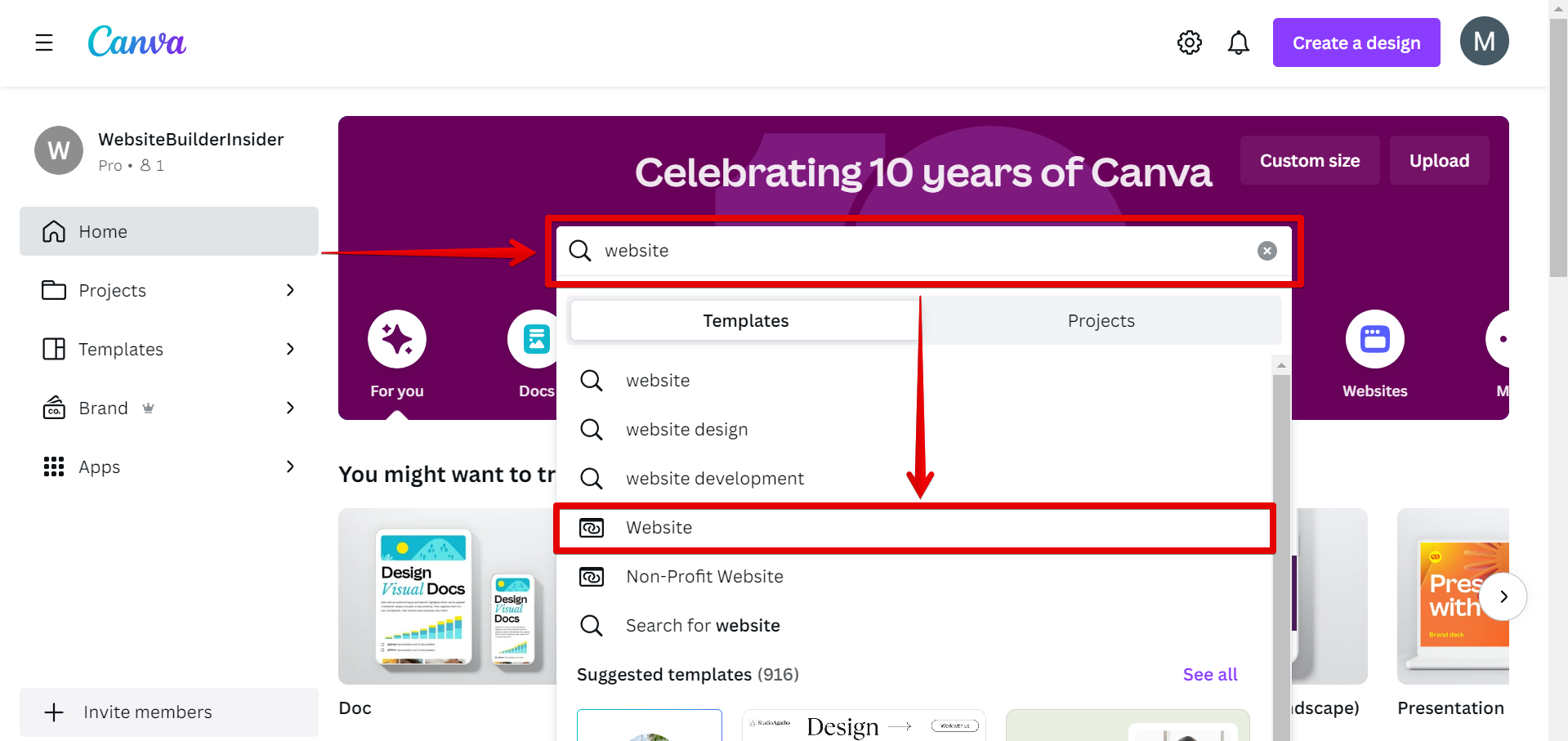
You will then be able to choose from a variety of website templates. To make it easier to create your online store, click on the “E-Commerce Websites” keyword option at the top. This will narrow down your search to a list of websites with an online store theme.
NOTE: E-Commerce, short for electronic commerce, refers to the buying and selling of goods and services using the Internet, primarily through online stores or platforms.
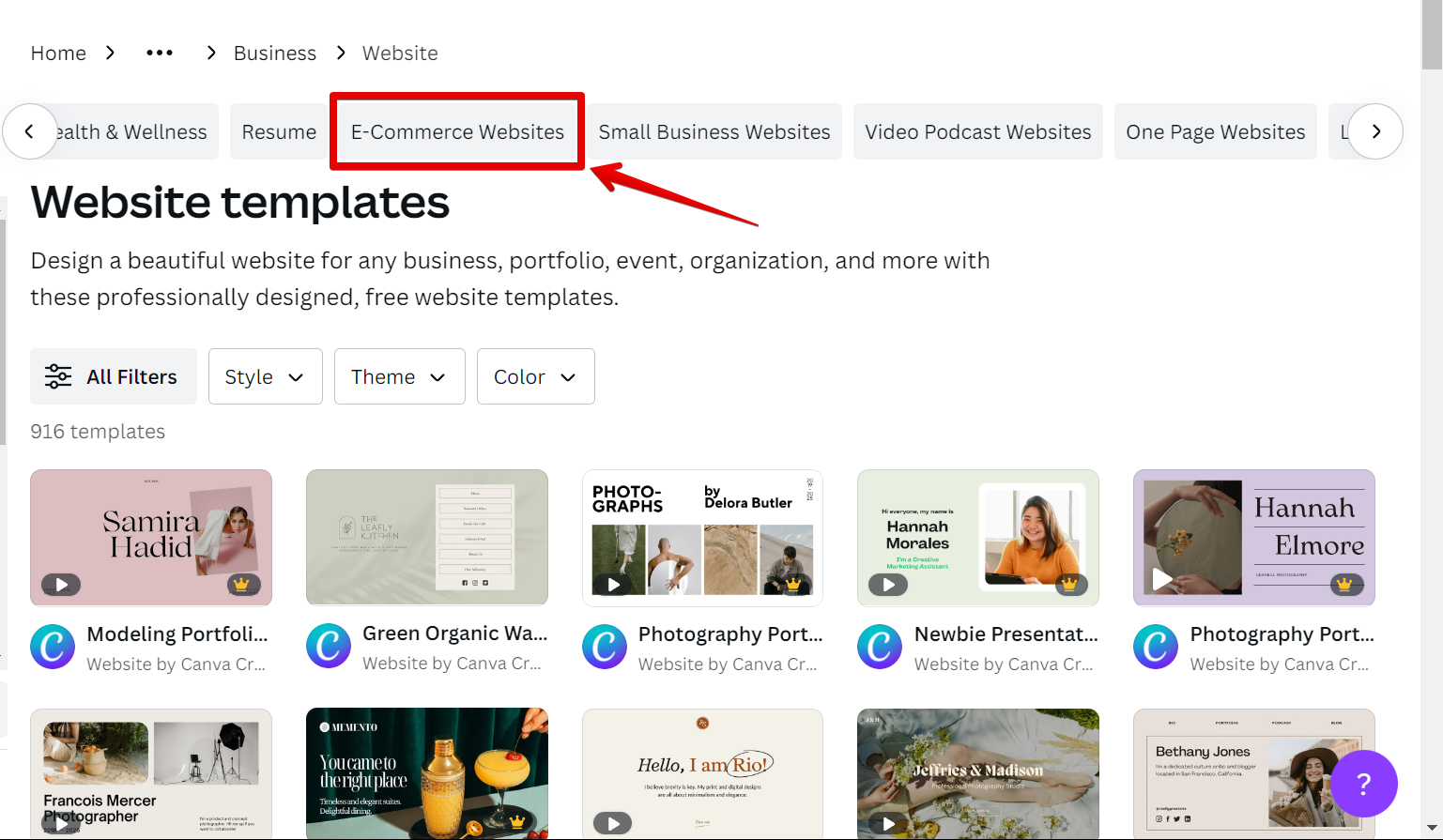
Select the E-Commerce website template that you want to use for your online store by clicking on it to open the Canva website editor.
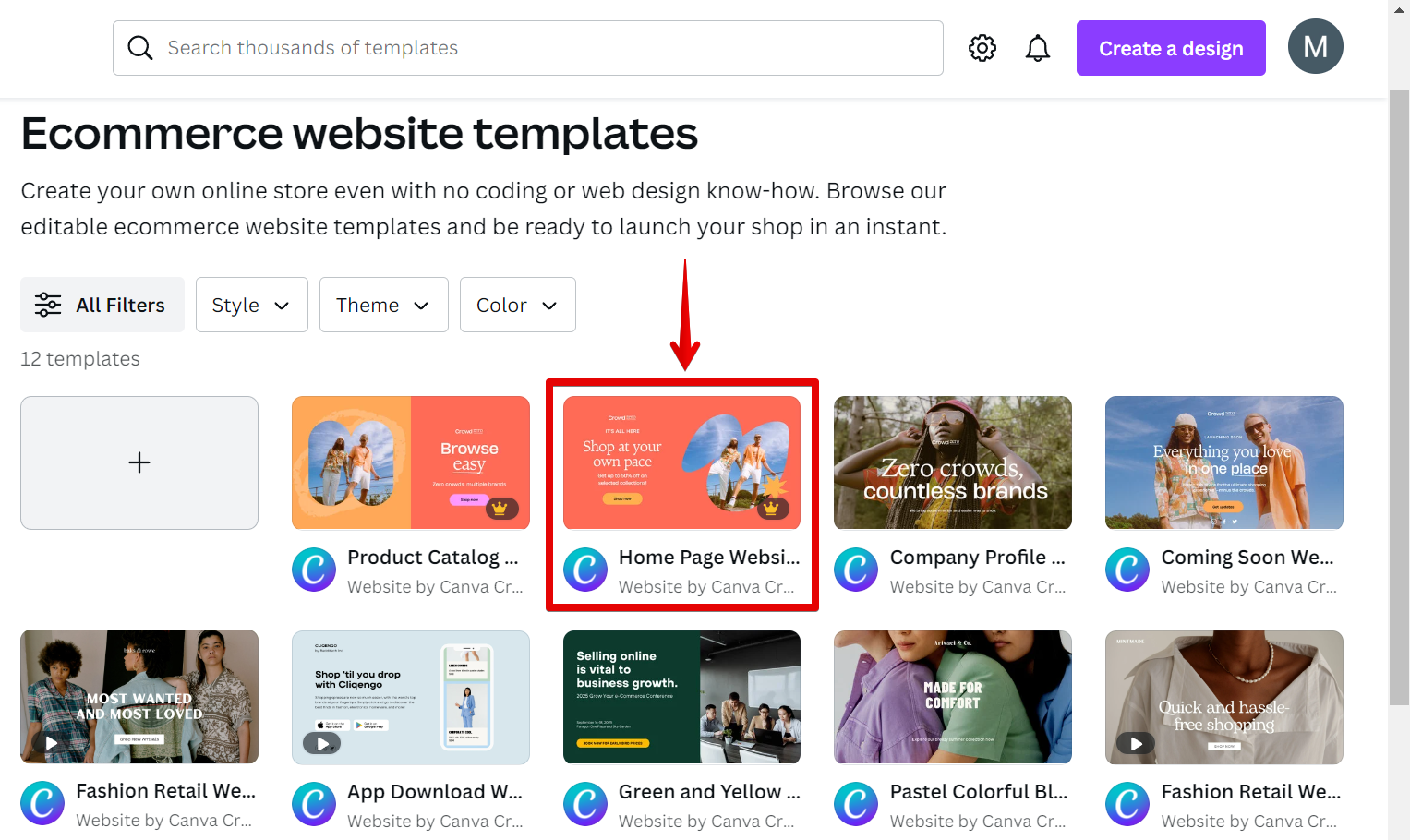
Once you have selected a template or created your own design, you can add your products or services by uploading images and editing the product details in the dedicated product section of the website.
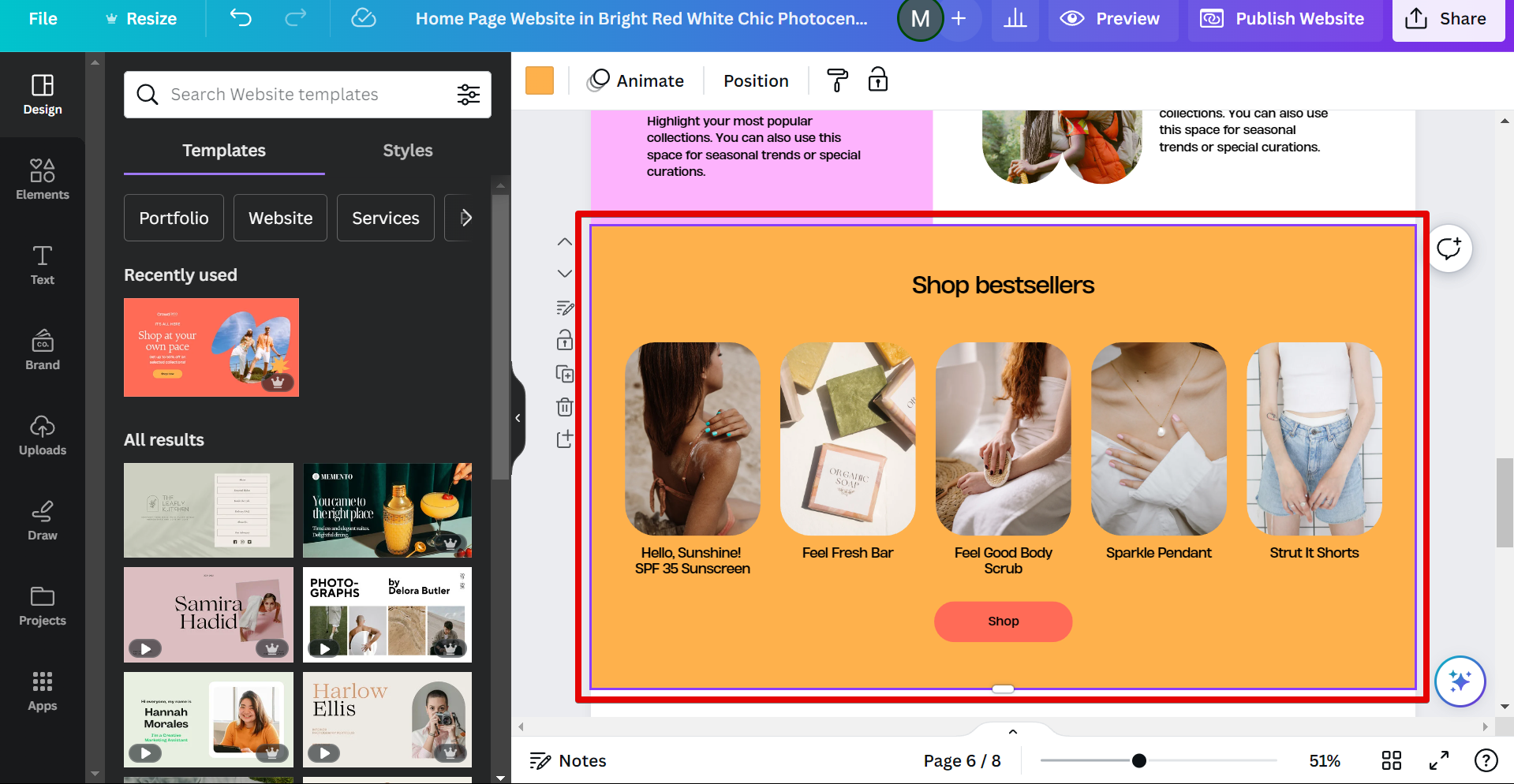
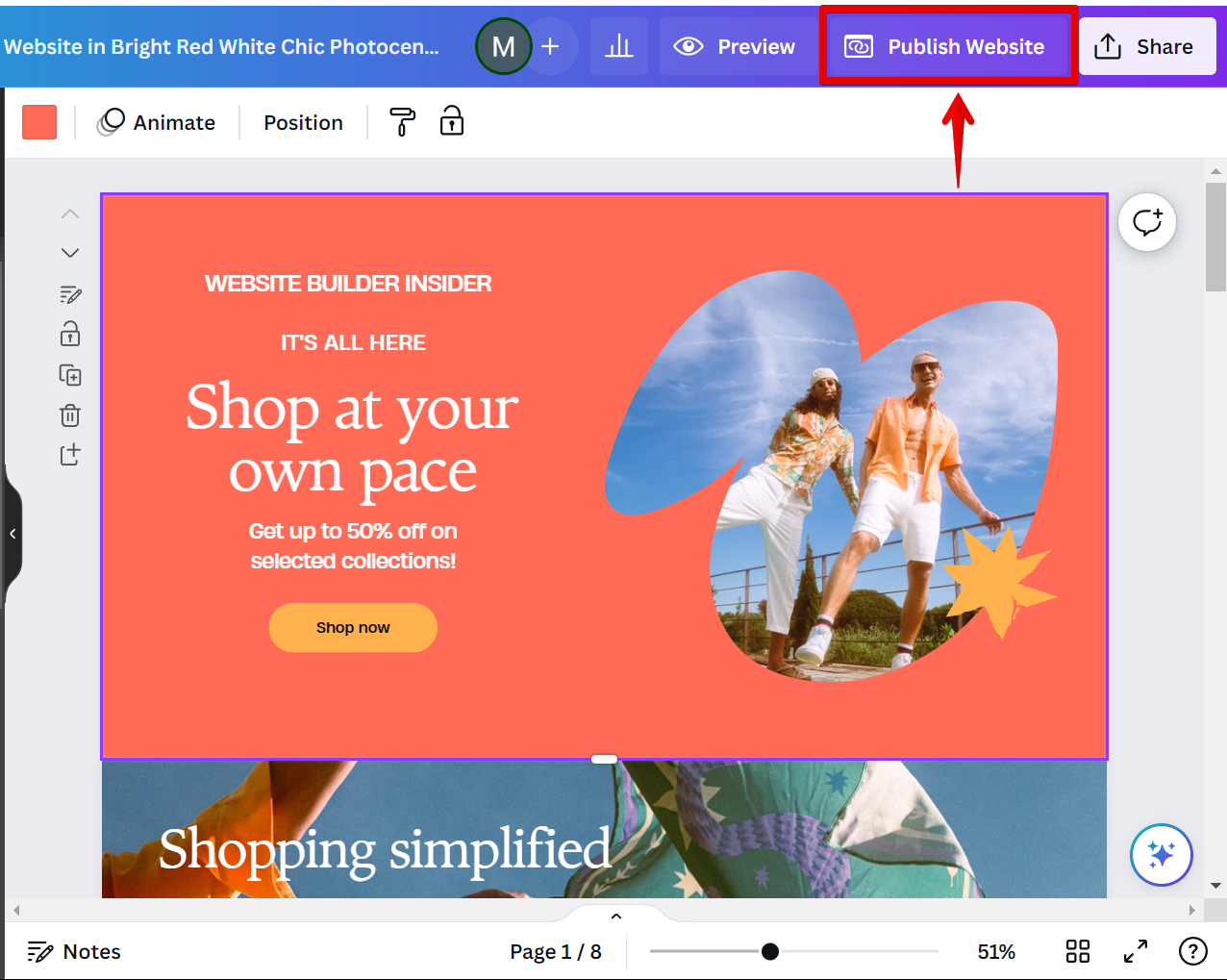
After adding your products or services, you can then customize your website further by adding images, videos, descriptions, prices, and more. Once you are happy with your website, simply click on the “Publish Website” button, and your website will go live.
10 Related Question Answers Found
Canva is a website that allows users to create designs for social media, marketing materials, presentations, and more. The site has a drag-and-drop interface and offers a wide variety of templates and tools to help users create their designs. Canva is an easy-to-use, drag-and-drop website builder that’s perfect for creating simple websites, landing pages, and portfolios.
If you’re looking to create a website, Canva is a great option. With Canva, you can create a professional website without any design experience. You can choose from a variety of templates and then customize them to fit your needs.
As an online educator, you may be wondering if you can create an online course with Canva. The short answer is yes! Canva is a user-friendly, cloud-based design platform that can be used to create engaging and visually appealing course content.
If you’re looking for a way to create a virtual classroom, Canva may be the perfect solution for you. Canva is a user-friendly graphic design tool that can be used to create engaging and visually appealing designs. Creating a virtual classroom with Canva is easy and can be done in just a few simple steps:
1.
If you’re thinking about starting a website, one of the first questions you’ll need to answer is what platform to build it on. There are many website builders out there, but one that’s been gaining popularity lately is Canva. Canva is a design platform that can be used for a variety of purposes, but one of its main features is creating beautiful designs for web pages.
The short answer is yes, you can! Canva is a great platform for creating beautiful designs, and with a few simple steps, you can create a stunning website. Here’s how:
1.
When it comes to designing a website, there are many different route you can take. You can either use a pre-made website builder or design your own website from scratch. If you’re not too familiar with coding or website design, then using a pre-made website builder is probably your best bet.
Canva is a design platform that allows anyone to create beautiful designs with ease. You can create a magazine with Canva by following these simple steps:
1. Choose a template: Canva has a wide range of magazine templates to choose from.
Yes, you can integrate Canva in to your website. Canva is a user-friendly graphic design tool that is perfect for creating professional designs for your website. With Canva, you can create custom graphics, logos, infographics, and more.
As a small business owner, you’re always looking for ways to save time and money. Canva is a great way to do both. Canva is a free online design platform that allows you to create professional-looking designs for your business, all in one place.
